 Color Flashlight
Your Spare Phone Is an RGB Fill Light — Here's the Setup
Short answer: RGB panels and gel kits are great — but a spare phone or iPad running a full-screen color app does the same three jobs for free: soft fill light for faces, colored accent for backgrounds, and virtual gels for product shots. If you shoot TikToks, Reels or product photos at a desk, this is the cheapest lighting upgrade you'll ever make.
Three lighting jobs, one spare phone
1) Fill light. Your key light (window, ring light, desk lamp) leaves one side of your face in shadow. A phone at full-brightness soft white on the dark side lifts those shadows — the classic two-source look. Screens are physically large for their output, so the fill is soft, not glaring.
2) Background color. The fastest production-value trick on TikTok: throw color on the wall behind you. Prop a phone facing the background, pick neon teal or purple, and your flat white wall becomes depth, mood and brand color. This is exactly how the pros use RGB tubes — aimed at surfaces, not faces.
3) Virtual gels for products. Shooting a watch, sneaker or bottle? Colored screens on either side create rim highlights and reflections that read as studio work. Glossy products love it.
The setup
- Install Color Flashlight – ScreenFlash (free) on the spare device.
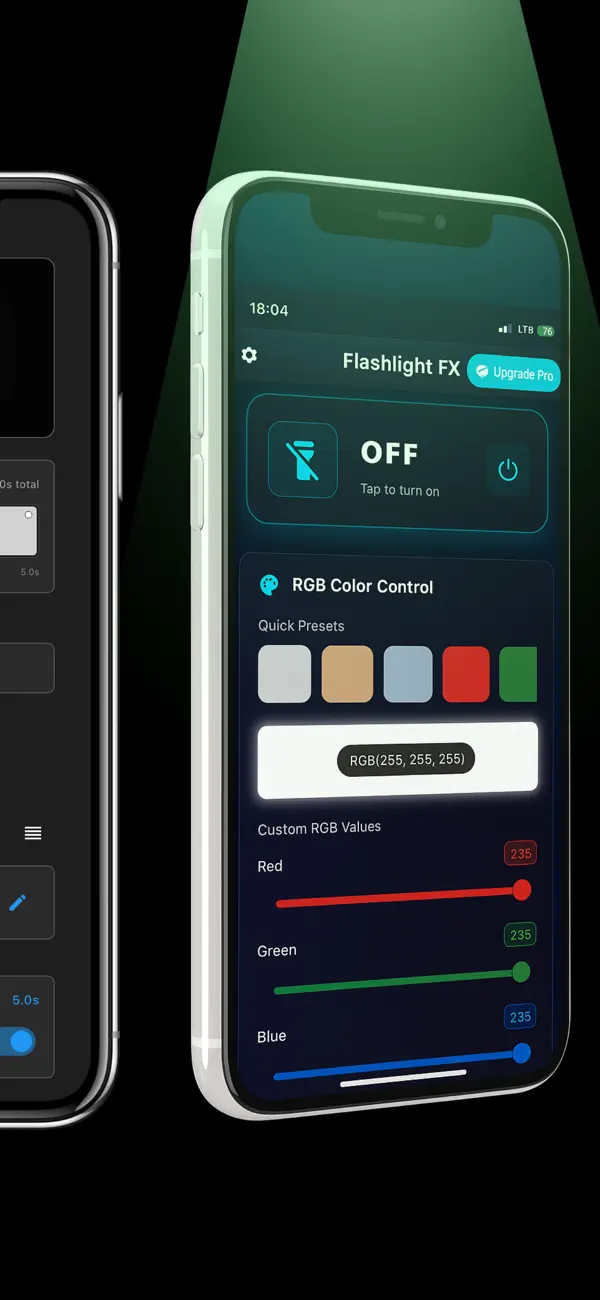
- Tap power, choose the Cinematic palette or dial an exact hue with RGB sliders — 255,0,60 magenta and 0,220,200 teal are the internet's favorite pair.
- Max the brightness and lock it so auto-dim can't shift your exposure mid-take.
- On your shooting phone, lock exposure and white balance (long-press to AE/AF-lock in the Camera app) so the color reads as intended.
- Save your looks as presets — "Fill", "BG teal", "Product magenta".
Level up: animated light
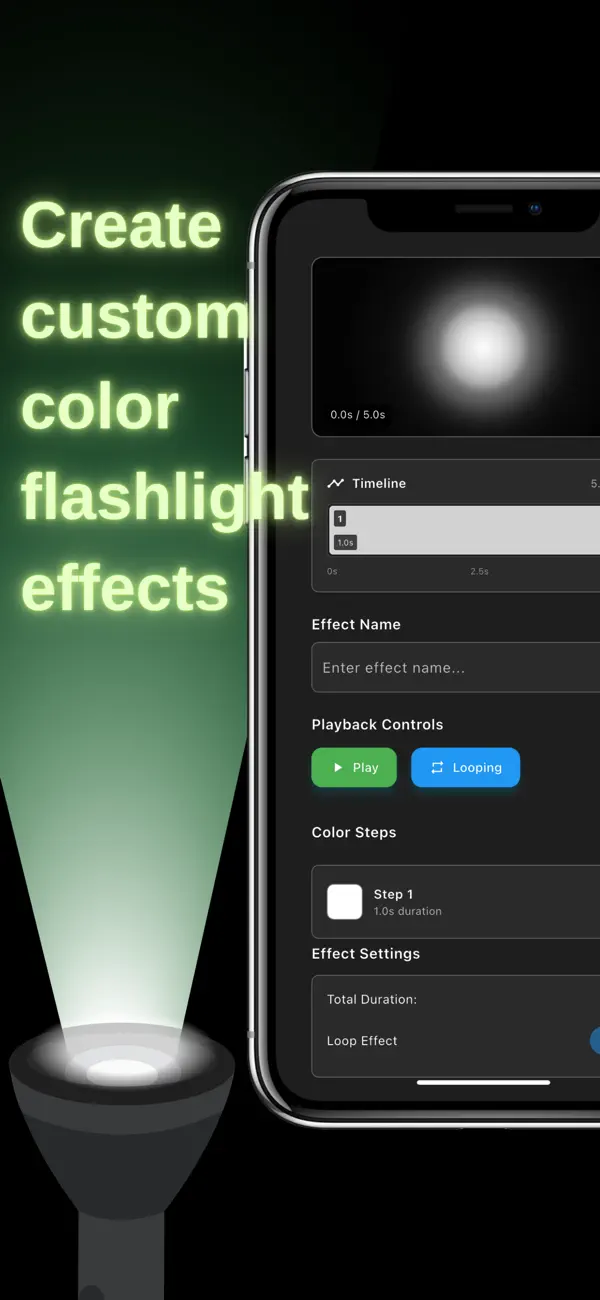
Static color is act one. The Pro Timeline editor scripts sequences — fade, hold, pulse, loop — so the background glow in your shot slowly breathes between two hues, or snaps colors on the beat you'll edit to. For faster energy, the built-in strobe and disco effects give you music-video texture from a device that was in a drawer yesterday. And when the shoot's done, the same screen is your ring light for the talking-head close-up.
Frequently asked questions
Can a phone screen work as a video light?
Yes at close range — continuous, soft and flicker-free. Perfect for desk setups and dim rooms.
How do creators use RGB color?
Colored background washes and warm/cool contrast. Aim color at surfaces, not faces.
What's the Timeline editor for?
Scripted color animation — fades, pulses, loops — for moving ambience with zero post-production.