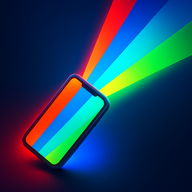
 Color Flashlight
Police Lights App: Red & Blue Flashing Screen
Short answer: the POLICE effect in Color Flashlight – ScreenFlash alternates full-screen red and blue in the rapid pattern everyone recognizes. People reach for it for three legitimate reasons: being seen during a roadside breakdown, selling a costume or film scene, and — let's be honest — because kids find it endlessly fun.
What the effect does
Tap once and the entire display snaps between saturated red and blue with a strobe-style cadence modeled on real light bars. Because it's the screen — not the tiny LED — the light is visible across a wide angle, which is exactly what you want when the goal is being noticed.
Start the police lights
- Get ScreenFlash free and tap the power button.
- Swipe up to Effects and tap POLICE.
- Long-press the effect to fine-tune speed and looping; the wakelock keeps it flashing hands-free.
- Prop the phone where it's most visible — dashboard for a breakdown, shelf for the party, hand for the costume.
Where it earns its keep
- Roadside visibility: hazard flashers plus a bright flashing screen in the rear window make a stopped car dramatically more visible at night. For a recognized distress pattern, switch to SOS mode.
- Costumes & props: cop, robot or cyberpunk costume, school play, indie film — a phone tucked into the outfit sells the scene without wiring anything.
- Play: toy patrol car chases around the living room, powered by a phone on the roof. Pair a second phone running white strobe for full TV-drama effect.
- Parties: alternate it with Disco mode for high-energy set pieces.
Frequently asked questions
Is it legal to use a police lights app?
For costumes, parties, film and play — yes. Impersonating police or running red-blue flashes from a moving vehicle on public roads is illegal in most places.
Why red and blue?
The alternating contrast survives night, dusk and color-blindness — it's the most attention-grabbing standardized pattern.
Can I adjust the speed?
Yes — long-press to tune, or script fully custom patterns in the Pro Timeline editor.